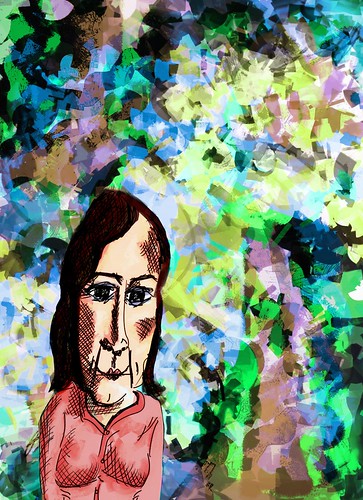
Showing posts with label art. Show all posts

Tuesday, March 02, 2010

Graeme Sacks snaps Roy in Killarney -- after Roy appeared on eNEWS CHANNEL live

Just bumped into @RoyBlumenthal doing his thing. Mugg & Bean ... on Twitpic

Graeme Sacks (@AfricanABC) popped into Mugg & Bean in Killarney. He took this pic of me demonstrating ArtRage to an interested-party.

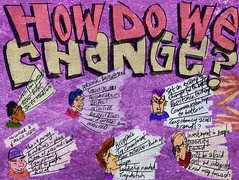
I've been uploading pics I made live on-air this morning at eNEWS CHANNEL. They had a special to celebrate 100 Days To The World Cup, and I was invited to do on-the-spot visual facilitation of the event.

These are the pics I made:


Reblog this post [with Zemanta]

Monday, December 01, 2008

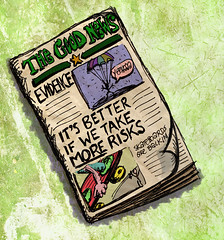
HOW TO LIVE DANGEROUSLY by Warwick Cairns -- a multimedia animated summary


HOW TO LIVE DANGEROUSLY is Warwick Cairns's second book. It's all about how the arbitrary 'safety' and 'health' laws imposed on us by 'the people who run things' are actually really bad for us. The book details strategies for taking back our power, and living better lives as a result.

This video is a multimedia summary of the book.

THE SCRIPTING PROCESS
I contacted Warwick with the idea. And he wrote a first draft script. I edited that, and sent it back to him for further revision. When he was happy that the script accurately represented the contents of his book, he made several voice recordings of the material.

SOUND DESIGN
I chose the best version, and started my sound design. I believe that the audio component of a movie supplies more than 70% of the power of a piece. As I do the sound design, ideas flow for the visuals. I wanted the soundtrack to be able to stand alone as an adio-only podcast, if Warwick wants to use it as such.
JAMENDO.COM & CREATIVE COMMONS
My starting point was to search http://www.jamendo.com/ for Creative Commons 'Attribution' or 'Attribution, Share-Alike' tracks. I specifically remove any track that specifies 'non-commercial' as one of the preconditions for using it. The two licenses I zone in on allow me to mold the music to my needs. With a hat tip to the musicians. In essence, I take their solid tracks, and sculpt them into what I need for the piece I have in mind.
For this type of work, I always search for heavy metal or hard rock first. I find that these genres offer the most energy and diversity of tracks. They almost always have killer bridges, with amazing musicianship. Really good raw material to work with.
I sourced several tracks from Jamendo. And brought them into Audacity, along with Warwick's vocal track. And I built the audio from there.
SKETCHES
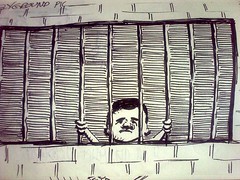
In this piece, I sketched several pictures in my little Moleskine. All of these sketches were done in bed, with a copy of the script to hand. I did them in a sort of order, following the logic that Warwick and I created in the script.
My next task was to scan the pics, and work them in PhotoShop CS3. I coloured and textured the pics, squashed and squished them. And generally made them realllllly vivid. A few of those sketches didn't make it into the final film. But most of them did.
EDITING THE MOVIE
Next up was throwing the pics and sound design onto my timeline in Adobe Premiere Pro on my Toshiba Tecra M4 tablet pc.
THE CARICATURE OF WARWICK
While I was messing around in Premiere, editing, I took a break. I opened ArtRage on my Asus R1E tablet pc, started my video capture program, and made my caricature of Warwick in one short sitting. It took about ten minutes for me to get it to my satisfaction.
ANIMATING THE CARICATURE IN CRAZYTALK
I then opened CrazyTalk 5.0 on my Toshiba Tecra M4, popped the caricature in, dropped the voice-only track in, and got Warwick's pic talking nicely. When I was happy with the 'acting' of the avatar, I exported as a high res AV. That turned into a 5 gig file!
I slapped the animation movie into Premiere. And then followed tons of fanatical detail work. I originally intended painting speech bubbles for Warwick. But early on in the sound design, I decided to rather go for illustrative pics.
FLICKR & CREATIVE COMMONS
So I sourced suitable photos, using the Flickr Creative Commons search tool. I use the same criteria for pics as I do for music. The pieces HAVE TO be under 'Attribution', or 'Attribution, Share-Alike' licenses.
I found about twenty or so pics, and when trying them, found that most weren't reallllly what I wanted. Everything looks very different when the audio and video come together.
PICTURE AND MUSIC CREDITS
All of the picture and music credits are listed at the end of the movie, and here in the metadata...
MUSIC CREDITS:
  • "Drowned Devoured"
    by Outselling of Lies
    (Album: THE BEGINNING)
  • "Marchand de Bonheur" (nouvelle version)
    by Contreband
    (Album: À CONTRE PIED)
  • "Comercial de Verdade Verdadeira"
    by Jailson Brito Jr
    (Album: MATA BARATA)
  • "Dream Zero"
    by Marc Reeves
    (Album: LUCID DREAMSONGS)
All available from http://www.jamendo.com/.
All distributed under Creative Commons licenses.

PHOTO CREDITS:
THE FINISHED PRODUCT
This little vid took me about a week of solid work to crack. Deeply enjoyable for me. Warwick's publishers on both sides of the Atlantic (Britain and the US) are very keen to make use of the vid to promote the book.

CONTACT ME FOR YOUR VERY OWN ANIMATED SUMMARY
If you need any animated summaries made of any of your talks, get in touch with me. I work internationally, and I'm keen to see what I can produce for you. My email address is royblumenthal@gmail.com. My website is at http://snipurl.com/visualfacilitation.

Tuesday, November 18, 2008

Animated Rich...! Mulholland tells us about Missing Link


Rich...! Mulholland is the founder of Missing Link. (http://missinglink.co.za ) 

He appeared last Saturday on the television show I work on. I'm the inhouse visual facilitator for Kaleidoscope on CNBC AFRICA, making pictures of the ideas liberated by the interview process.

Because Rich...! was in an insert, the picture I made of him went unaired. So I figured I'd turn it into an animation. I smsed him a rough script, and asked him to send me voice files via email.

He tweaked them, and made them his own, and sent them to me. I did a sound design and audio edit, and then made the speech bubbles to fit.

This little video is the result.

The music is by a Russian heavy metal band that I found on my favourite Creative Commons site, Jamendo ( http://www.jamendo.com ). The band's name is МакЕнтош.
http://www.jamendo.com/en/artist/Artist_(3) . And the song is called "Сердце из камня, душа из металла". Download the full, unedited song for yourself -- it's terrific: http://www.jamendo.com/en/album/22041...

If you need any animated summaries made of any of your talks, get in touch with me. I work internationally, and I'm keen to see what I can produce for you. My email address is royblumenthal@gmail.com. My online gallery is at http://snipurl.com/visualfacilitation.

Painting: ArtRage 2.5 & Photoshop CS3. Animation: CrazyTalk 5.1 Pro. Audio Editing: Audacity. Video Editing: Adobe Premiere Pro
YouTube Tags: 

Friday, August 29, 2008

How to Go About Getting into Visual Facilitation

An ArtRage forum member sent me a message asking me how she could get into doing visual facilitation for a living. I figure my answer to her might be worth sharing. And maybe we can have some dialogue about my thoughts that might open it up and make it a bigger topic for us all.

Here's the main part of my letter to her (with pleasantries removed)...

---------------------------------------

Good to hear that there's another person interested in doing this! It's an absolutely awesome rush to do!

Okay... Fundamentals...
1. Are you well-read, well-versed in non-fiction, specifically business stuff, psychology, marketing? You'll need to pump up your knowledge in these fields.

2. Are you able to concentrate fiercely well for long stretches, listening ardently to new information, synthesising patterns from it, picking out fascinating details pertinent to the greater whole?

3. Can you multi-task? REALLY multi-task? When you're doing a visual facilitation, you're doing lots of things at once. I've described it to someone as 'flying a helicopter while holding two simultaneous, in-depth conversations'. I think I might revise that description and add a second helicopter to the mix.

4. How do you prefer to work -- traditional media or digital? This is a far-reaching fundamental choice. Sounds from your skill-set that you're digitally comfortable.

You haven't mentioned whether you use a tablet pc (or Wacom Cintiq), or if you're using a Wacom tablet?

Tablet PC is my preferred route. There are currently three machines in South Africa that I can recommend... Toshiba Portege M700, Asus R1E, Fujitsu T5010.

Portability of your setup is of paramount importance. Heading out to some remote conference centre should not induce muscle strain or back pain.

Working on traditional media limits what you can offer to your client. Most of the visual facilitators around the world use traditional media. I so so so don't recommend it. No edge. No instant distribution. However, if you MUST do it that way, go for it.

5. Are you willing to expose yourself to a roomful of people by making art live, before their very eyes?

I assure you, you are totally naked when your stuff is appearing live, in real time, on a huge screen next to the speaker's screen. They're watching your every move.

If you have ANY fear of public humiliation, you're going to find visual facilitation pretty hardcore.

If you're comfortable to do some really nice work on the odd occasion, with mostly clodhopper ATTEMPTS at brilliance most of the time, with people watching you frown as you hit the eraser button on ArtRage, then you'll thrive. It helps if you're an exhibitionistic showoff with immense amounts of self-confidence.


6. Are you happy to spend a lot of time doing free gigs for high profile audiences in order to establish a name for yourself? Do you have the chutzpah to inveigle yourself into events as 'the visual facilitator', even though you weren't invited, they've never heard of you, and you don't wanna pay the entrance fee? Do you have the ability to earn an income elsewhere to allow you to take a year to build this up into a business? Are you willing to learn and adapt what you're offering based on the gigs you do?

7. Do you have a winning, magnetic, persuasive personality?

8. Do you have the ability to look someone in the eye and say without shame or embarrassment or hesitation, 'I charge R12 500 per day for what I do.'? If you're blushing at the thought, convert that blush into a warm, fuzzy, delicious feeling of anticipated joy and liberation.

9. Are you comfortable with technology as a means of disseminating information about yourself? I use Twitter as my main communication tool in the world. I've been a blogger for about 6 years. I've had a website since the internet came to South Africa. I use Flickr as my primary portfolio tool. And so on.
Regarding the actual 'How' of your question, I recommend just sitting in on some event or other, and pushing yourself into doing a live visual facilitation without screening your work or standing out from the crowd in any way. Just draw what you hear. Get a feeling for how much work you need to do to be on top of things. Do more of these.

---------------------------------------

Do you have anything to add? Disagree with anything? Can you enhance anything?

I'm a visual facilitator. You can see some of my work online at http://snipurl.com/visualfacilitation. And my profile as a professional member of the Professional Speakers Association of Southern Africa is at http://snipurl.com/psasa-profile.

Thursday, August 14, 2008

'I believe I can fly!' -- starring Jacob 'Laduma' Zuma

Here's my latest little bit of messing around in CrazyTalk 5.1. This is a pic I made of Jacob 'Laduma' Zuma back when controversy hit him really hard. (Please don't confuse him with Zu-Ma Se Poes. Different politician.)

I'm experimenting with some ideas that Conrad Koch and I have been discussing. This is one of those experiments.

Tuesday, August 12, 2008

Using CrazyTalk 5.1 to Make a Talking Animated Self Portrait

Unbelievable.

I made a quick self portrait in ArtRage to test out my newly purchased piece of software -- CrazyTalk 5.1.
  • Opened CrazyTalk.
  • Imported the painting.
  • Placed the Mouth, Eyes, and Nose points.
  • Masked out the background with a single click.
  • Recorded a voice track.
  • Chose an emotion.
  • Published.

The entire process took less than five minutes. And the little 30 second vid below is just the tip of the iceberg. There's so much more I can do with the software.

Suffice to say that I'll be finding a way to incorporate this into my visual facilitation practice.

The little speech bubble containing the link to my visual facilitation portfolio online is something new to YouTube -- video annotations. You can place them wherever you want in a video. Also amazing. Very useful. Makes YouTube a very good teaching tool.

Monday, July 28, 2008

Live Visual Facilitation Coverage of the 27 Dinners Jozi Chat -- Mon 28 July 2008


If you're one of the people who can't make it to 27 Dinners tonight, I'll be doing a live visual facilitation of the event, along with live-blogging of the pics I make.

If anyone wants to write commentary, please contact me on http://twitter.com/royblumenthal or royblumenthal@gmail.com, and I'll add you as a producer on my CoverItLive console. (You need to be running Firefox 2.* or Internet Explorer for the console to work on your machine.)

This live blog is my first public run using CoverItLive. So please join in and leave comments. It'll be great to hear from you.


If you'd like to hire me to cover any of your events, I'd be happy to chat about what I can offer.

You can take a look at my profile as a Professional member of PSASA, the Professional Speakers Association of Southern Africa. It's at http://snipurl.com/psasa-profile.

My online portfolio is at: http://snipurl.com/visualfacilitation.

Monday, April 07, 2008

Roy Blumenthal does a visual facilitation for top international speakers at the NSASA Convention 2008

Welcome to Roy Blumenthal's visual facilitation pictures made during the NSASA Convention 2008, at the Sibaya Convention Centre near Durban.

Roy Blumenthal is a Professional Member of the Johannesburg chapter of the National Speakers Association of Southern Africa. View his NSASA profile page at http://snipurl.com/nsasaprofile, and consider hiring him to create a memorable record of your next event.

After observing and being on the receiving end of Roy in action during the conference, Joe Sherren, President of the International Federation for Professional Speakers, sent this email to Roy:

"I just wanted to write and say what an amazing job you did at the NSASA Convention in Durban. Your artistic and creative talents are absolutely amazing. You added to the enjoyment of all the presentations and your work will leave a timeless memory for every attendee. I hope we can work together again in the future."

Here are the pictures Roy made live during the event. He had his computer hooked up to a video projector. So every painting was screened to every member of the audience.

The National Speakers Association of Southern Africa has a convention every year. This year -- 2008 -- it was held at Sibaya Convention Centre near Durban, South Africa

The three-day programme was crammed with top-notch, high-level speakers. And that's just the audience members!

On the podium were the cream of the crop of both local and international speakers.

Roy sat in the room with his trusty tablet pc attached to a video projector. Each session, he paid serious attention to what was being said, and painted his interpretation of the ideas being delivered.

His role is to supplement the speakers, not to overshadow them. He says, 'I try to gauge the tenor of the speaker's talk, and angle my pictures towards their particular personal style of delivery.'

Barry Holley, a South African training expert attending the convention, said, 'Roy's work is non-intrusive, non-distracting, supportive of the speaker's message, and a good reminder.' He added, 'Roy makes it very easy for audience members to assimilate the material. And his pictures are a great memory jogger after the event.'

Roy is excited at the response to his work. 'It's making me very happy that people in the room appreciate what I'm doing,' he said. 'This is an unbelievably exacting audience to work for. Almost every single one of the people here speaks professionally for a living. And they've seen every trick in the book. When they tell me they love what I'm doing, and that they can see themselves working with me, that tells me that I've been doing something right.'

Something else suggests that his efforts were appreciated. 'I brought about a thousand business cards with me, and I've got fewer than half left.'

But business cards don't tell the whole story.

Britain's media training specialist, Alan Stevens, had never worked in this way before. Initially, when Roy was introduced to him, he was reluctant to have Roy's visuals on the screen behind him. 'Oh, what the heck. I'll give it a try,' he said. When he came off the stage, he was beaming. He went over to Roy and said, 'I'm a convert. I'm really glad you were doing that behind me, Roy. Thank you.'

Another British speaker, 'Walking Tall' style-guru, Lesley Everett, said, 'You really added to the event.'

Kristin Arnold, President of the USA and Canadian company, The Extraordinary Team, was another speaker at the conference. Roy and Kristin worked together to help emphasise specific points. 'I have a background in advertising, and corporate communications. I'm also a trained crisis counsellor. This means that I'm very attuned to what people are trying to convey. So I can work pretty intuitively. When Kristin briefed me on what she wanted, I was able to grasp her objective quickly.'

Kristin, who traditionally doesn't use Powerpoint in her presentations, said afterwards, 'I've never worked with a visual facilitator live. Roy provides a way to seamlessly integrate visuals with a presentation.' She said, 'While I'm describing or explaining something, Roy is reinforcing my message.'

When asked to describe his offering in one paragraph, Roy said, 'My visuals help speakers and trainers to bring their message alive in a rich, colourful, interactive way. The hero of the day is the message, and I'm there to support the speaker in delivering that brilliantly.'

Because Roy works digitally, using a tablet pc running specialised art-making software, the paintings he makes are instantly available for distribution to delegates. 'One of my clients has printed A1 posters of my pictures,' said Roy.

Ben Zander, speaker, co-author of THE ART OF POSSIBILITY, and conductor of the Boston Philharmonic Orchestra, has used Roy's graphics on his website.

'People can print them out as handouts, or use them as emails,' Roy says.

All of the pictures here are available for free download, and may be used for whatever purposes you see fit, within the boundaries of the Creative Commons License Roy releases all of his work under.

Please take a look at the title deed: Creative Commons -- Attribution, Share-Alike.

Roy says, 'Thank you to everyone for allowing me to make a difference in the room.'

Book Roy today. Call him on +27 74 104 6386. Or email royblumenthal@gmail.com

A Note From Roy Blumenthal:

All of the paintings in this group are made live, on the fly, in the room, while the speaker is delivering his or her address. I currently use a Toshiba Tecra M4 tablet pc, running ArtRage 2.5 painting software.

I am a professional member of the National Speakers Association of Southern Africa. You can view my profile at http://snipurl.com/roy--nsasa.

I am available for international gigs. Please email me on royblumenthal@gmail.com or call me on my mobile: +27 74 104 6386 to book me.

Friday, February 01, 2008

Misogynist Hairdressers Guild Badge -- Sticker Prank

This has been a prank idea for a very long time...

To make a sticker to place surreptitiously on the doors of hairdressers who butcher women's hair.

I mean, seriously... there MUST be a secret guild of hairdressers dedicated to giving women reallllllllllllly bad hair advice and hair treatments and hairdos.

Think of 'older' women with blue rinses. You think they'd do that to themselves without being nudged by their hair salon??? Come on! Nobody wants to look like a poodle!

If you like this little piece of artwork, please feel free to make printouts on your colour laser printer (an inkjet will run in the rain). Cut them out. Place them in NEARLY hidden positions on the front doors of salons who perpetrate atrocities on women's hair.

The badges shouldn't be too big. I'd estimate that they should be no bigger than the palm of your hand.

This serves two purposes.

1. Any bigger, and the badges will be discovered too quickly to do any good.

2. You can easily approach a door IN BROAD DAYLIGHT with one of them concealed in your hand. Rest against the door briefly. Catch your breath. Move on. And the perpetrator is marked!

There's a version in B&W too.

I made this pic in two packages: CorelDraw 10.0 for the typography and design; Photoshop CS2 for the image manipulation and colouring.As source material, I did a Google image search for 'bad hair'. And found some glorious horrors. I've manipulated this one beyond recognition. All, as usual, on my Toshiba Tecra M4 tablet pc.stickerprank, sticker, prank, royblumenthal, blumenthal

Monday, January 14, 2008

My new Flickr profile -- I'm available to do visual facilitation work for you


I'm a Visual Facilitator, also known as a Graphic Facilitator.


Imagine a workshop or seminar. Sitting in the corner is an artist with an easel. That artist is visually interpreting the ideas that are flying around the room. That artist is me.

I work on my Toshiba Tecra M4 tablet pc, painting primarily in ArtRage 2.5, with a video projector hooked up to my machine so that people can see what I'm painting.

At the end of the session, everyone gets to take home the pictures I've made.

Here's a link to my Flickr set showing some of my work: Visual Facilitation.

I'm happy to work anywhere in the world, with the proviso that I have fair notice to sort out visas where necessary.

I charge R8 500 (roughly US$1300, Euro 850, UK£650) for a half-day session, and R12 500 (roughly US$1 900, Euro 1 250, UK£950) for a full-day session. This excludes travel and accommodation.

Coffee-Shops and Me

I'm a coffee-shop schmuck, and I spend much of my time sketching people in coffee-shops. I'm somewhat of a leftie (probably more of a left libertarian than anything) and a sometime activist.

My Motto

I live my art in prosperity and abundance.

Technical Details

All of the earlier drawings are done directly onto an iPAQ 2210 palmtop computer, running a licensed version of Mobile Atelier drawing software. These pics are NOT suitable for artprints, except small, cos their resolution is only 320 x 240 pixels. I'm VERY happy to print them out as postcards for you. Lemme know, and I'll do it.

The later, more detailed, higher-resolution drawings are done on my Toshiba Tecra M4 tablet pc, running ArtRage 2.5, Alias Sketchbook Pro 2.0, Corel Painter 9.5, and Photoshop CS2. Almost every painting I make now is done in ArtRage.

(Sandi asked me if I get paid for mentioning ArtRage and Toshiba. The answer is a resounding no. I get nothing from those companies. No favours. No freebies. No money. No nothing. I just love what their tech does for me.)

I generally draw the line work on the top layer first, and then I colour on the layer below that. Each painting takes between 60 and 240 minutes to make, the colouring taking most of the time.

Creative Commons -- Attribution, Share-Alike

I'm a great believer in the open source movement. That's why I release all of my artworks under a Creative Commons 'attribution, share-alike' license.

(It's also why I buy music from Magnatune.com.)

My license means that you're free to use my work as you see fit, as long as I'm credited, and you distribute your work under the same license.

Swaps of Prints

I love doing swaps with other photographers and artists around the world. If there's a pic of mine you like, and I like one of yours, let's swap. Here's the deal... I give you a signed print, you give me a signed print. That way we both win.

Here's my postal address...

Roy Blumenthal
PO Box 532
Auckland Park
2006
South Africa


My Blog

I'm a fairly regular blogger, with a tiny cult following which seems to be shrinking since I stopped talking explicitly about BDSM and sex. Hehehehehe. That's in the archives. You can find me at: schmucknews.blogspot.com.

My Stuff on Zazzle

I'm now selling my artworks on various items at Zazzle. They're an official Flickr associate, so give it a try!

My Prickie.com Button Shop

I have a button shop-front on Prickie.com. I supply the designs, they print, manufacture, and ship the buttons. I get an incredible US75c per button sold!! So make me rich! Go and buy my buttons.

Please note that one of my absolute aims is to offend people. So if you're NOT offended by my lapel badges, please let me know what I'm doing wrong!!!

Here's the address of my shop-front: ACoffeeShopSchmuck Button Shop.

Where to Find Me

Twitter: royblumenthal
Facebook: Roy Blumenthal
Skype: royblumenthal
Google Talk: schmucknews@gmail.com
Shared Google Reader Links: schmucknews
Cellphone: +27 74 104 6386. (That '+27' is the country code. Pop that number into your cellphone as it stands, and it should get to me.)
Email: schmucknews@gmail.com

Friday, December 14, 2007

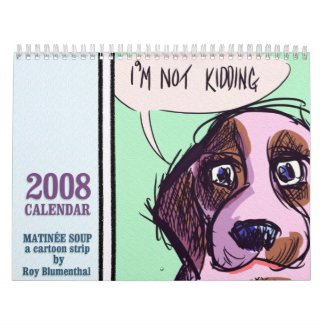
Bambi stars in her very own Matinee Soup 2008 Calendar, now on selling at Zazzle!

I've just put the finishing touches on a gorgeous product of mine at Zazzle. Yup... it's a calendar for 2008 featuring my doggie-heroine, Bambi.

Click on the image below, and you can zap off to Zazzle and order a neat present for the New Year.

The calendar is an all-ages one. There's a cartoon for every month, along with a selected quote shedding light on the humour.

Everything I make on Zazzle is customizable by you. So if you want to add someone's name to the calendar, please go ahead. Or you don't like my background colours... change them to something that works for you.

(There are loads of other things of mine on my Zazzle gallery. So if the Matinee Soup 2008 Calendar floats your boat, maybe something else will too!)

Tuesday, September 25, 2007

Using a tablet pc to make art

This is a recent post of mine on the ArtRage Tips and Tricks forum...

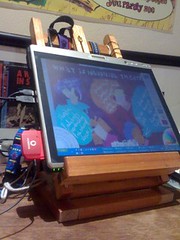
Here's my solution to the tablet pc angle conundrum...


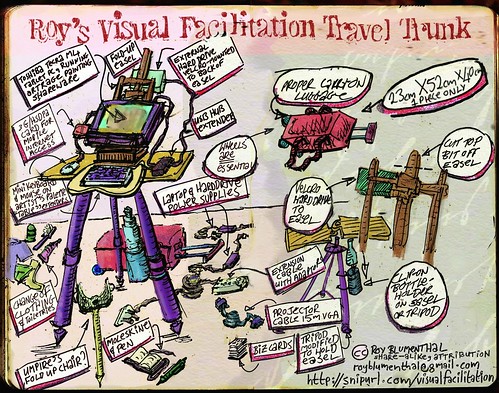
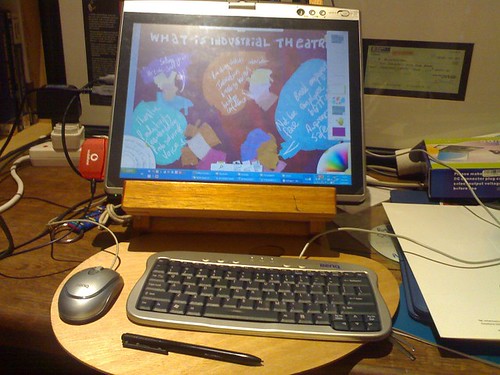
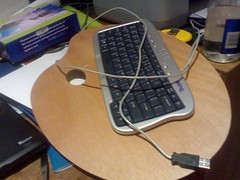
In this pic, you see it configured for use on a tripod. That's why I have the artist's palette slotted in at the front. Normally when I'm at my desk, I don't slot the palette in. But the keyboard and mouse are standard accompanying dishes.


The tablet all alone on the easel is a bit lacking. I find that I need the keyboard for ArtRage keyboard shortcuts. And for easy entry of file names. Tablet entry works, but it takes too much time under pressure. The mouse is useful for navigating around outside of ArtRage. Things like web pages and such.


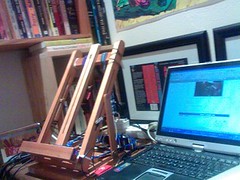
Here's a look at the two items side-by-side, showing the tablet in laptop mode, and the easel waiting for inspiration to strike.


I've sawn bits and pieces off the easel, simply to make it fit in my bag for when I fly to Visual Facilitation gigs. (http://snipurl.com/visualfacilitation)

I find that this configuration really suits my needs. And because it's all adjustable, it's very friendly on the neck and back.

If you look for a table easel, I would suggest good art shops. I've seen similar ones to these at Herbert Evans in Joburg. And I got mine from a fleamarket -- the Rosebank Fleamarket, to be precise.

Things to look out for...

o It needs to be portable, and therefore, foldable flat.

o It needs to have sticky-outy-bits that can be sawn off to save space.

o The BACK sticky outy bits need to be fairly long, specifically for when you have your angle closer to horizontal than vertical... the centre of gravity takes over at that point. DON'T saw them off! And be sure to test it with your tablet pc BEFORE you purchase or saw anything.

o Light and small are your friend if you're lugging these things around to coffee shops and onto planes like I do.

Intense 'crash test' -- ArtRage survives -- with some tweaks

Here's a post I recently offered to the ArtRage feedback forum...

I recently stumbled into becoming a visual facilitator. It's a field that requires real-time live capturing of people's ideas in a meeting or seminar.

The visual facilitator basically sits in the room capturing the content of the session, interpreting it visually.

Some visual facilitators use traditional art-making tools. I use my tablet pc, with ArtRage 2.5, with a video projector hooked to my machine, displaying my stuff in-progress on the back wall of the venue.


I have now done four sessions, two of them for money. And I can tell you, it's a pretty intense way to spend a coupla hours. Relentless. Hard hard hard work. And ArtRage is really tested to the limits.

Here are my responses to the package:

1. Freaking excellent!!!!! It works like a bomb! And I am SO happy to have discovered this package. ArtRage... you are the ultimate!

2. I see people's jaws hanging open in amazement as they crane their necks round, watching the screen, then watching me. They LOVE what they see.

3. Because of my ability to make incredible pics using ArtRage, the work is really just flooding in. From 0 to 100 in seconds, actually. Brilliant. Thanks, ArtRage.


Here's my working setup:

1. I'm using a pretty underpowered tablet -- the Toshiba Tecra M4, with 1.73gHz single core Centrino processor, 1 gig of ram, a 60gig onboard harddrive, and a 160gig USB2 external harddrive.

2. I have ArtRage 2.5.1.6 open at all times. Possibly two or even three instances of it. Cos sometimes I have to prepare a picture that will be used later in a session. And I need that open so I can flick back and forth at will.

3. I have Firefox open at all times, along with a 3G dashboard, allowing me constant mobile web access to be able to hunt for and download reference images as needed. Firefox is a memory slut. And it consumes WAY too much of my processor power for my liking. I'm thinking I'm going to have to reconsider the Firefox side of things.

4. I have Bluetooth switched on all of the time, cos my current easel means I don't have access to the switch. I take reference pics of speakers using my cellphone, bluetooth them across, and import them into ArtRage. Another bit of memory hogging.

5. In ArtRage, I have a few high res templates set up. These have a base layer of metallic coloured paper with a custom texture. I also have two images on separate layers acting as filters. One sits just above the base layer, adding colour and tone to the canvas. The other sits right at the very top level, and stays there, adding colour and texture to the painting layers I'm doing. Both of these layers have blending turned on. A memory hog, I suspect? I need this because I'm working live. My images are projected onto the back screen, so people are seeing it as it happens. I can't wait till the end of a pic to apply the blends and so on.

6. My images are fairly high res. Cos my clients all want to be able to print the final pics out at A0 size. Which means I'm working at 3508 x 2479. (This is a PowerPoint aspect ratio, cos I also have to save pics to memory stick for presenters to slap onto their own PowerPoint presentations.)


Now, let's look at some of the things that I've observed in terms of performance:

1. ArtRage is very slow in switching from layer to layer. It's ULTRA slow in applying blending options. If I had a more powerful machine, I would have Photoshop open all the time, and slap an image there to experiment with blending. But I can't. So I HAVE to use ArtRage. But it takes WAYYYYYY too long. Two things that need fixing... a. I need to be able to use the down and up arrows to go through each blending option. b. I need blending to be fast. Ultra fast. As fast as Photoshop. In fact, I need ArtRage to give me the option of using Photoshop's blending engine, instead of the built-in one. At least, that's what I THINK I need. What I reallllllly need is speed. Tons of it.

2. Exporting to Photoshop is too slow. I would prefer to be able to allow ArtRage to give me the option of saving ALL files as Photoshop native, rather than ArtRage. This would allow me to hit save (cutting out steps in between), close ArtRage, open Photoshop, do whatever I need to do in Photoshop, close it, and immediately open ArtRage again. With no intervening steps. Those steps add minutes to any swap. I don't HAVE those minutes in a visual facilitation scenario. It's time pressure like I've never dealt with before.

3. The 'transform layer' tool is brilliant. But the interface isn't friendly to this time-crushed practitioner. And it's WAY WAY WAY WAY WAY too slow. I would so prefer the traditional Photoshop/Corel interface... the marque with arrows on the corners. And it HAS to work faster. It takes around 20 seconds for me to resize a pic. Another twenty to see a rotation. Etcetera. This is one of those areas where I wish I could flip seamlessly between ArtRage and Photoshop. Photoshop is super fast at this stuff. ArtRage is super slow.

4. There is no tool in any package I've worked on to date that beats the ArtRage palette knife. Having said that, the palette knife in the 2.2 version gave me way better results. The new version doesn't offer me a tool that does the same thing. I realllllllllllly want the old tool back. It was way better for what I need. In one of the modes, it also behaves really slowly. I make a stroke, and it takes a good twenty seconds to show progress of the stroke.

5. I neeeeeeeed neeeeeeed neeeeeeeeeeeeeeeeeed to see the full file name on screen at all times. It HAS to appear somewhere. This is something I actually can't do without. When I'm working hard and fast, cranking out six to ten paintings in a 3.5 hour period, I HAVE to know which file I'm on. Or I risk painting over one of the sessions I've done. This is critical. It's a red flag update, for me.

6. I spontaneously create multiple layers. Cos I'm capturing stuff in real time, I often paint something too big, and need to resize it later. Then capture the next thing on another layer, and resize that later. Which means that I end up with, say, six layers, that will ultimately become one layer. I would like to be able to do as in Photoshop.... select ALL SIX layers, and merge them down to one layer in one operation. The layer merge tool is ultra slow in ArtRage, and needs some attention, I feel.

7. One of my key needs for flipping between Photoshop and ArtRage is to move components around, getting the layout and design of my incredibly fast sketching into shape. ArtRage offers me no fast way of doing this. Photoshop does. But the two just don't see eye to eye fast enough for me.

8. Please bring back the space bar for moving the canvas around. I need it. The right click is faulty in two significant ways... a. It has a significant lag on it. b. Whatever tool I'm on when I press the right button to drag is active for a split second. When I'm erasing, for instance, there will be a single LEFT click that somehow happens on the erase tool as it engages with the drag. So a hole is left in the surface I'm moving. Same happens with the magnifying tool, the roller, and the brush. This has to be fixed. Both by fixing the right click functionality. AND in bringing the space bar back as the moving tool.

9. There is a significant tool-engagement error, that reallllllly irritates. It happens like this. I'll click, say, the magnifying glass, and start enlarging the screen. But because of the lag, the magnifying glass doesn't engage, and it stays on the tool I was on. So, if that was a brush, I'll end up with a streak of paint across the screen. It it was an eraser, I'll erase a swadge across the screen. When I'm painting, and I lift the brush, putting it down often doesn't engage the brush. It kind of seems to require TWO clicks. The first click makes it neutral. The second click engages the brush again. This didn't happen in 2.2. It's happened in all of the 2.5 versions so far. I really hope I'm explaining this one correctly.


Thank you, ArtRage and ArtRage-makers:

Having said all of this, I really want you to know that I LOVE ArtRage. And I've simply gone into clinical detail about these things cos I can. Cos I've tested it under seriously hardcore conditions. And if you look at my Flickr gallery of images created under these conditions, you'll see that ArtRage shines. http://snipurl.com/visualfacilitation.

Thursday, September 06, 2007

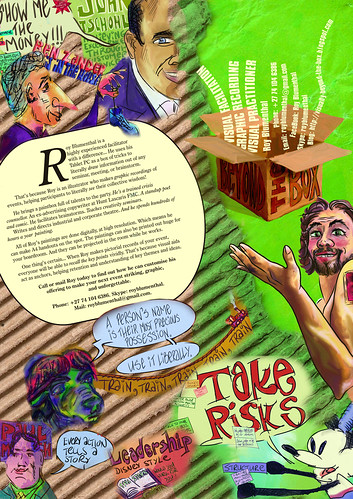
Roy's Visual Facilitation -- a one-sheet of what's on offer


Roy's Visual Facilitation -- a one-sheet of what's on offer, originally uploaded by royblumenthal.


Having recently come across the field of 'visual facilitation', I'm striding headlong into this as a way of earning my living.

This is a quick read for people to get a sense of what it is I do. It's little more than a skim overview. But hopefully it arouses some curiosity.

From the top, the interventions I've used are:

o John Tschohl (www.johntschohl.com).

o Benjamin Zander (www.benjaminzander.com). He wrote to me and said...

I've been so busy [...] that i haven't written to acknowledge
your beautiful drawing/painting. It captured the spirit (and quite a
lot of the content) of the event and I will treasure it. In fact, it
is on my website.

Thanks so much for pouring your heart (and hand) into The Art of
Possibility. What a blast we had that day!

Warmest greetings

'till the next time we meet in SA

Ben


o Then the speaking buffalo is John Tschohl again.

o With Paul Macleish from Achieve Leadership representing the Disney Insitute in the bottom left corner (www.achieveleadership.net).

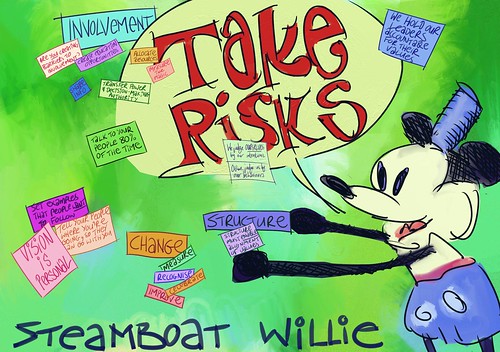
o And Mickey Mouse in STEAMBOAT WILLIE taking the bottom right corner by storm.

o Below the box is me, in a self-portrait.

I've already got three potential clients coming up soon, and I'm looking forward to this tremendously.

This sheet is designed to print clearly as an A4. Which means that you'll probably need to view it big to be able to make any kind of sense out of it.

This pic was made using paintings done in ArtRage on my Toshiba Tecra M4 tablet pc. I hacked things together using Photoshop CS2, CorelDraw 10, ArtRage 2.5, and my HP F380 Scanner/Printer.

Sunday, July 01, 2007

Roy interviewed on The Extraordinary Lives Show (and talks about, his 'Draft of Creative Commons-based contract for artist/client relationship')

I was interviewed by Dave 'The Lifekludger' Wallace and Mike Seyfang via Skype on Thursday for their podcast. Our episode is 'The Extraordinary Lives Show #29', and it's 55'40" long, and weighs in at a mere 19.2mb. (To download it, right-click on the link, and 'save target'. That should do it.)

In the show, towards the end, I mention an agreement I created for artists to use in defining their relationship with clients. It's based on a Creative Commons foundation. And it should be quite easy to modify for your own needs.

I've made the document available for you to remix at will on Google Documents. It's titled: 'Draft of Creative Commons-based contract for artist/client relationship'. Please feel free to pick holes in it, and to do whatever you like with it. I'm not a lawyer, but I did have a lawyer look at it for me. And my client was a labour lawyer. And I've sent it off to the Creative Commons bunch in South Africa to play with as they see fit. But that does NOT mean that it's infallible or bullet-proof.

Here it is:

AGREEMENT


Agreement made this _____________day of _______________ in the year _______, between [NAME OF CLIENT], hereinafter referred to as ‘THE CLIENT’, and Roy Blumenthal, hereinafter referred to as ‘THE ARTIST’.


SUMMARY

THE CLIENT is retaining THE ARTIST to produce four (4) cartoons, per month for a six-month period. Remuneration shall be as per clause 3 below. Each cartoon shall be referred to hereinafter as ‘THE ARTWORK’.


1 TERM:

The respective duties and obligations of the parties hereto shall commence on the date stipulated in the schedule as per clause 2 below.


2 SCHEDULE:

2.1 THE CLIENT will provide THE ARTIST with a relevant delivery schedule, with deadlines at least 14 days in advance.


2.2 THE CLIENT will advise THE ARTIST timeously of any changes to the schedule, which will be subject to THE ARTIST’S other contractual obligations.


2.3 The schedule shall be attached as an addendum to this agreement, and forms part of this agreement.


3 REMUNERATION:

3.1 THE CLIENT shall remunerate THE ARTIST a set fee of R2200 per month, in advance of delivery of work. This figure is made of four (4) ARTWORKs per month at R550 per ARTWORK.


3.2 If additional ARTWORKs are required in a particular month, they will be charged at an ad hoc price of R800 per additional ARTWORK.


3.3 This agreement will remain in force for a period of six (6) months from date of signature.


3.4 In the event of special circumstances, variations to the fee schedule of paragraphs 3.1, 3.2, and 3.3 will be allowed as mutually agreed to in writing by the parties hereto.


3.5 Notification. THE ARTIST will be notified by THE CLIENT in writing of any additional ARTWORKs over and above the contracted four per month. Such notification will include a deadline date not less than seven (7) days in advance. Payment must be made before delivery of THE ARTWORK.


3.6 If any ARTWORKs of the four (4) contracted per month are not used for whatever reason in a particular month, they may be used at THE CLIENT’s discretion at another time, for the same purpose. However, this will not impact the stipulated per month payment. If THE CLIENT elects to use fewer than four of THE ARTWORKs, payment will not be adjusted down accordingly. This agreement represents a retainer.


4 METHOD OF PAYMENT:

4.1 Payment to THE ARTIST will be made into THE ARTIST’S BANK ACCOUNT. Details of THE ARTIST’s bank account will be given as an addendum to this agreement.

4.1.1 THE CLIENT will fax and/or email confirmation of payment to THE ARTIST before work will commence.


4.2 CANCELLATION BY THE CLIENT:

THE CLIENT is entitled to cancel the services of THE ARTIST at any time, in writing. Termination is effective immediately, with full payment to be made by THE CLIENT for artworks contracted for up to that date, whether these have been created or not. It is up to THE CLIENT to decide whether or not THE ARTIST must deliver the required artworks. THE CLIENT will inform THE ARTIST of this delivery obligation in the same written termination of service.


4.3
CANCELLATION BY THE ARTIST:

THE ARTIST is entitled to terminate this agreement at any time, in writing. Termination is effective immediately, with full payment to be made by THE CLIENT for artworks contracted for up to that date. THE ARTIST is obligated to deliver the required artworks as per the deadlines stipulated. Should THE ARTIST be unable to deliver those artworks for whatever reason, THE ARTIST will forfeit the full fee per artwork as per 3.1 and 3.2 above. The full fee in 3.1 refers to the pro rata fee of R550 per artwork.


5 COPYRIGHT AND REPRODUCTION:

5.1 The property rights on THE ARTWORK shall rest with THE ARTIST.

5.1.1 It is hereby stated that THE ARTIST is granting THE CLIENT rights to use THE ARTWORK as specified in clause 5.2 below, and that ownership remains with THE ARTIST.

5.1.2 THE ARTWORK remains the intellectual property of THE ARTIST, and is automatically copyright under traditional copyright law, with additional rights explicitly granted to the client under clause 5.2 below.


5.2 THE ARTIST grants THE CLIENT the rights to:

5.2.1 Freely reproduce THE ARTWORK for non-commercial use. This includes making copies of THE ARTWORK up to A4 in size for display in areas such as the boardroom, the company bar, employee’s homes and so on.

5.2.2 Use THE ARTWORK on THE CLIENT’s corporate website.

5.2.3 Use THE ARTWORK in THE CLIENT’s marketing newsletter.

5.2.4 Use THE ARTWORK for any internal training, marketing or motivational materials as THE CLIENT sees fit, unless said materials form part of a franchise kit being prepared by THE CLIENT, in which case, clause 5.3 below holds.

5.2.5 Use THE ARTWORK for publicity purposes such as press releases.

5.2.6 Reproduce the artwork as part of an article about THE CLIENT in an outside magazine, as long as THE ARTIST is clearly identified and attributed.

5.2.7 Utilise the artwork under the terms and conditions granted by the Creative Commons License: ‘Attribution—Non-Commercial—Share-Alike’. Please see the following website address for details: http://creativecommons.org/licenses/by-nc-sa/2.5/deed.en.

5.3 Any other use of THE ARTWORK outside of the uses outlined in 5.2 above are subject to a new agreement between THE ARTIST and THE CLIENT. Uses specifically prohibited under this current agreement include, but are not limited to the following:

5.3.1 Use of THE ARTWORK in any advertising, whether it be below-the-line, including pamphlets, vehicles and any targeted communications outside of the regular newsletter as mentioned in 5.2.3 above. or above-the-line, including television, print, billboards, and any other medium.

5.3.2 Use of THE ARTWORK as corporate or other gifts.

5.3.3 Use of THE ARTWORK in any commercial transaction.

5.3.4 Use of THE ARTWORK as part of a logo or insignia.

5.3.5 Enlargements or reproductions of THE ARTWORK as fine-art prints.


6 BREACH:

6.1 If THE ARTIST breaches any terms in this agreement or THE ARTIST misses any deadlines by reason other than illness or accident without written permission from THE CLIENT, THE CLIENT shall be entitled to terminate this agreement immediately without prejudice to any rights to damages which may result there from, subject to clause 4.2 above.


6.2 If THE CLIENT is in breach of the terms of this contract, the full fee as stipulated in clause 4.3 above shall be immediately payable to THE ARTIST on written notification by THE ARTIST of said breach.


7 GENERAL:

7.1 THE ARTIST acknowledges that all information pertaining to the THE CLIENT and THE CLIENT’S client/s is confidential.


8 TERMINATION OF THE AGREEMENT:

This Agreement may be terminated by either party upon giving written notice. Upon the giving of said notice, THE CLIENT shall cause to be paid to THE ARTIST any monies due THE ARTIST as herein provided.


9 DISPUTES:

9.1 Any controversy or claim arising out of or relating to the compensation to be paid by THE CLIENT to THE ARTIST for services rendered by him/her pursuant to the terms of this Agreement shall be settled by arbitration in accordance with the rules of the Commission for Conciliation, Mediation and Arbitration of South Africa (CCMA), and judgement on the award rendered by the arbitrator or arbitrators may be entered in any court having jurisdiction thereof. Any party to this agreement may submit to arbitration and said controversy or claim.


9.2 Written notice of dispute must be delivered by either party within seven (7) days of payment date.


10 CONTRACT ENFORCEMENT:

10.1 This Agreement constitutes the entire agreement about understanding between the parties and supersedes any and all other agreements between the parties.


10.2 No remedy granted to THE CLIENT by virtue of the Agreement shall be exclusive of any other legal or equitable remedy available to THE CLIENT existing by laws of statute.


11 MISCELLANEOUS:

11.1 The parties agree and intend that all questions concerning this Agreement, including the validity, capacity of parties, effect interpretation and performance shall be governed by the laws of the Republic of South Africa.


11.2 The rights, privileges, duties and obligations of both THE CLIENT and THE ARTIST to each other shall be limited to those specifically set forth herein.


11.3 This Agreement and the terms, conditions and obligations herein contained shall be binding upon the parties hereto, their assigns, transferees, heirs and legal representatives.


11.4 This Agreement shall not vest in THE ARTIST, his/her heirs, estate, or legal representatives, any right, title, or interest in any assets in THE CLIENT itself, its name, good will or other market business activities other than as set forth in the Agreement and only for so long as the Agreement has not been terminated, and not longer.


11.5 This Agreement constitutes the complete Agreement between THE ARTIST and THE CLIENT. No representation or promise, either oral or written, has been made except as specifically set forth herein. Should any part of this Agreement be declared invalid, such invalidity shall not affect the remainder of this Agreement. It is the intention of the parties that they would have executed the remaining portion of this Agreement without herein including any portion which may hereafter be declared invalid.


11.6 Any changes to the Agreement shall be reduced to writing and agreed to by signature by THE ARTIST and THE CLIENT. Said signatures will not be reasonably withheld.


11.7 The forbearance or neglect by either party to insist upon the performance of the Agreement, or any part thereof, shall not constitute a waiver of any rights or privileges.


Signed:………………………… Signed:………………………

(THE ARTIST) (THE CLIENT)


Name:…………………………. Name:……………………….


Date:…………………………... Designation:…………………….


Date:………………………..


Witness:……………………….. Witness:………………………..


Name:…………………………. Name:………………………….


Date:…………………………… Date:……………………………


At:……………………………… At:……………………………….


Sunday, June 24, 2007

It's Lunchtime in the City -- a performance poem by Roy Blumenthal

This is one of my favourite performance poems.

I wrote it many years ago as part of the libretto for a Flamenco ballet that a work colleague of mine composed and choreographed. He asked me to put a story together. So I wrote a bunch of poems for it.

The musical backing here has absolutely nothing to do with the original Flamenco backing. This one is a mashup of a piece of Creative Commons licensed free music that I found on the web. I've been reluctant to put the piece online cos I lost the original music file, and I simply cannot recall who composed it, nor where I downloaded it from.

If you recognise the backing track, PLEASE PLEASE PLEASE let me know, so I can credit the muso.

All of the voice-work in this performance is by me. I laid a basic track down, then sliced and diced the music around that. Then I did several more vocal takes, which I assembled around those elements.

For some bizarre reason, I imported the music file in mono (it was my first project in Logic HitKit, so I guess I didn't really know what I was doing). Which has led me to keeping the entire mix mono. But it still works for me.

This piece is released under a Creative Commons 'Share-Alike, Attribution, Non-Commercial' license. This means you can download it, give it to your buddies, mix and match it, do whatever you want with it, as long as you don't make money out of the deal, and you mention my name as the originator. Enjoy!

I built the track in Logic HitKit, on my Toshiba Tecra M4 tablet pc, using the microphone supplied with the HitKit (it was one of those Dorling Kindersley educational packs -- book, microphone, software; a very cheap way to get a professional piece of music creation software!). Disclosure: I do not get ANYTHING from Toshiba or Logic for mentioning their products. I mention them cos I like to let people know how things are made. I'm an open source kinda guy.

Direct download: roy_lunchtime_st_full_mix.mp3

Wednesday, June 20, 2007

2007-06-20 Geoff & Shekha


2007-06-20 Geoff, originally uploaded by royblumenthal.

I was at a long and fruitful client presentation this morning. Left my place at around 6:10am.

The meeting went really well. But there was a section of the meeting that had very little to do with me. There was a bit of a tussle between the client and one of the other service providers.

So I decided to bite my tongue. I've contracted to Blue Moon on this one, and we're there to supply content, and I'm doing the creative direction on it, as well as writing it.

This means that it's not appropriate for me to stick my nose in when the bickering starts.

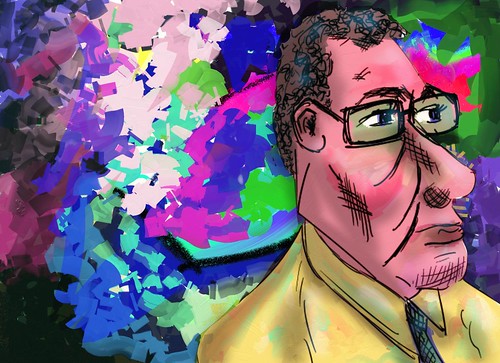
Which left me to play with my tablet pc. I was taking notes in Microsoft OneNote, and I had doodled Geoff, the client, in black lineart. While the tussle was happening, I decided to export the pic from OneNote into ArtRage, via CorelDraw, so that I could do some colour work on it.

This is the result.

When we finally broke for lunch, I popped it onto a memory stick for Geoff, and handed it to him.

'Oh, no!' he said. 'No! I don't like it at all!'

Graham (from Blue Moon) said, 'Better not show that to your wife, Geoff. She'll fall in love with you all over again.'

2007-06-20 Shekha

Shekha also started off as a doodle in the same client presentation. She was also distinctly unflattered by the lineart version.

I enjoyed the process I followed in making the Geoff pic. So I thought I'd give it a shot on this one.

Really had fun with it.

This painting was made on my Toshiba Tecra M4 tablet pc. The lineart was doodled in MS OneNote. I copied and pasted it into CorelDraw. Then exported the image as a jpeg. Finally, I pulled it into ArtRage, and started colouring.

ShareThis